I don’t really know much about M.2 slots and the different capabilities and how the key type corresponds, so I don’t want to spend money on something that won’t work.
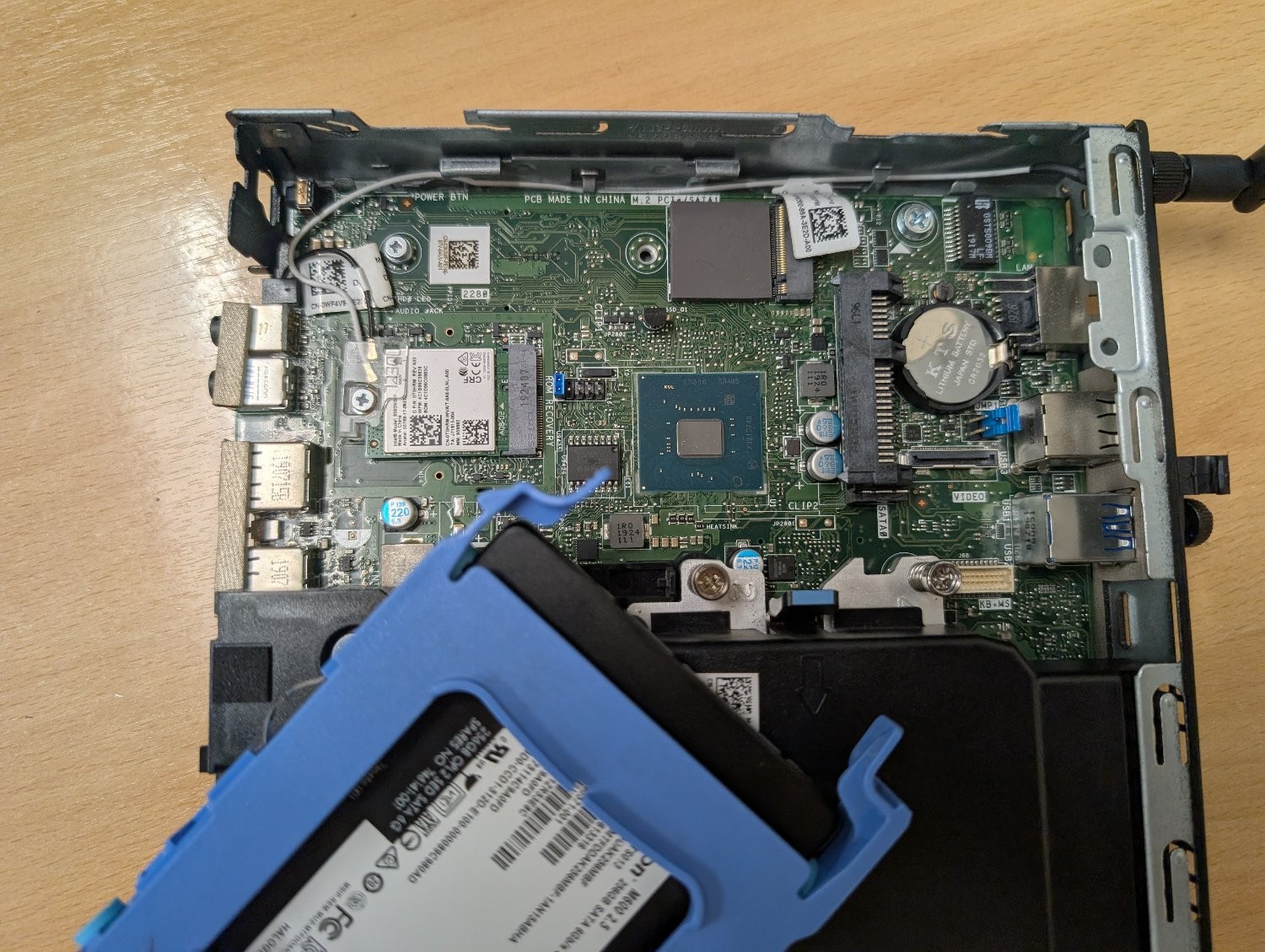
There’s an unused slot on the motherboard marked ‘M.2 PCIe / SATA1’. I believe it’s M-keyed.
Can it be used with an M+B keyed adapter like this one? Or will it physically fit, but the socket itself isn’t wired to work with an ethernet adapter? Is there a command I can run to figure out the capabilities of that slot?
My plan is to use this machine as an OpenWrt router to replace the shitty Linksys one my ISP supplied, but it would obviously need a second ethernet socket. My home wifi is dealt with by a TP-Link mesh network, so I don’t need it to have wifi and bluetooth. I could use the slot that the networking card is using, but if I can retain those then that would be ideal for any future flexibility I may need.
It is PCIe, so yes.
Yes but I personally wouldn’t run OpenWRT on x86. I would instead pickup a old gateway/firewall device that is supported by openwrt.
I’m in a rush but ive put Ethernet cards in both slots of my optiplex 3080 m.2 slots. The top right slot is vanilla and 4xpcie lanes,full speed. The bottom left is A+e keying and only 1x lane which is enough for 2.5gig Ethernet. This is ultimately what i used. For my prfesene box I added a second card, a 2 port Ethernet card to the top right m.2 slot and made it a four port beast.
Not a direct answer to your question, but assuming you have a switch that supports VLANs you don’t need a second ethernet port at all.
Yes. I’m doing that with a 7040mff right now.
@djdarren Nobody’s answered your actual last question, so: sudo dmidecode -t slot. That’s DMI type 9, System Slots. It lists each slot with its bus width and whether it’s occupied, so you can see which one is the x4 before spending a cent.
Pair it with -t connector (type 8). A SATA-only M.2 turns up there rather than under slots, which is the tell you’re after.